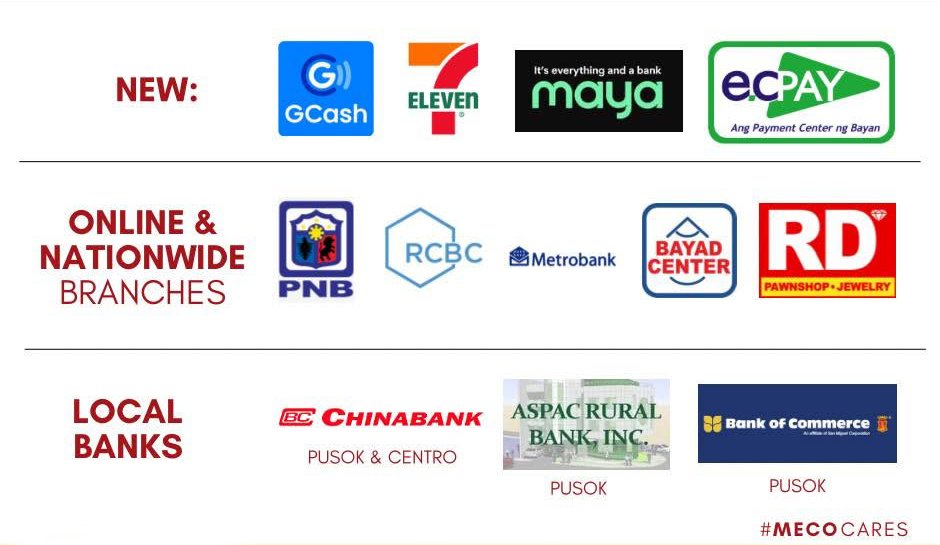
Do you have online payment?
Yes. You can pay through GCash, Maya, Metrobank, PNB, and RCBC using their bill-payment options on their apps or websites.
Payment Channels FAQ
Yes. You can pay through GCash, Maya, Metrobank, PNB, and RCBC using their bill-payment options on their apps or websites.
Posting of payments could take up to 3 business days depending on the billing merchant and will reflect on the next month's bill.
Accounts that are for disconnection and those that are for reconnection are encouraged to settle payments at the MECO office so they can be credited and attended to immediately. Customers who still opt to pay online must call our Customer Service Department (CSD) first.
Yes, as long as the overdue bill is paid before the scheduled disconnection date. If the account is scheduled to be disconnected within the day, a full payment must be made at the MECO office to cancel the disconnection.
MECO only accepts cash and checks. However, one of our payment partners, MAYA, allows users to fund their MAYA wallet using credit cards, which can then be used to pay MECO bills.
Amount due = (Current reading − Previous reading) × Rate per kWh, plus any applicable government charges and prior balance.
Qualified low-usage residential accounts (typically under 100 kWh/month) may be eligible for the discounted lifeline rate.
All rate changes follow public notice and approval by the Energy Regulatory Commission before taking effect.
Want to see this applied to your own account? Check your latest bill →